

Скачать Poised – AI‑коуч для встреч, помогающий улучшить виртуальные презентации
Обзор
Poised – это подписочный AI‑коуч, который тихо работает в фоновом режиме ваших любимых видеоконференц‑платформ — Google Meet, Microsoft Teams, Zoom, Webex и многих других, предоставляя обратную связь в реальном времени и анализ после встречи. Инструмент создан для профессионалов, желающих отточить навыки публичных выступлений, повысить уверенность и проводить более убедительные презентации без часов ручного самоконтроля. Используя обработку естественного языка, компьютерное зрение и модели распознавания эмоций, Poised оценивает всё: от слов‑заполнителей и темпа речи до зрительного контакта, эмпатии и плавности рассказа. После каждой сессии вы получаете подробный отчёт, в котором выставляются оценки по ключевым коммуникационным метрикам, выделяются сильные стороны и указываются зоны для улучшения. Бесплатный пробный период позволяет ознакомиться с основными функциями перед тем, как выбрать ежемесячный или годовой план, делая Poised низко‑рисковой инвестицией для всех, кто регулярно появляется в кадре.
Почему AI важен в виртуальных встречах
Удалённая работа превратила видеозвонки в новую переговорную, но многие профессионалы сталкиваются с нюансами виртуального присутствия. Традиционные механизмы обратной связи — отзывы коллег, воспроизведение записей или сессии с коучем — отнимают много времени и часто субъективны. AI‑движок Poised предоставляет последовательные, основанные на данных инсайты мгновенно, позволяя корректировать тон, темп или язык тела в реальном времени. Поскольку обратная связь появляется в виде ненавязчивых подсказок на экране, вы можете исправлять привычки, не нарушая ход разговора. Кроме того, аналитика после встречи даёт измеримую базу, превращая расплывчатые впечатления в конкретные баллы, которые можно отслеживать неделями или месяцами.
Помимо простого подсчёта слов, алгоритмы Poised понимают контекст. Например, они могут различать стратегическую паузу и непреднамеренную задержку, гарантируя, что получаемая обратная связь соответствует намерению разговора. Система также обучается на ваших исторических данных, постепенно настраивая чувствительность оповещений под ваш личный стиль. Такой адаптивный подход снижает количество ложных срабатываний и делает коучинг естественным, а не карательным. В итоге Poised превращает каждую виртуальную встречу в живую лабораторию, где вы можете экспериментировать, наблюдать и улучшаться без необходимости наличия человеческого тренера рядом.
Основные функции и преимущества, основанные на AI
- Live On‑Screen Feedback: Real‑time visual cues alert you to filler words, monotone delivery, and pacing issues as they happen.
- Post‑Meeting Performance Report: A comprehensive dashboard grades tone, clarity, empathy, eye contact, interruptions, and storytelling.
- Emotion & Empathy Detection: AI analyzes facial expressions and vocal intonation to assess how well you convey empathy and confidence.
- Customizable Coaching Settings: Adjust sensitivity levels for filler word detection, speed alerts, and visual cue placement to match your comfort.
- Multi‑Platform Integration: Seamlessly works with Google Meet, Microsoft Teams, Zoom, Webex, and other major video‑conference tools.
- Progress Tracking & Goal Setting: Track weekly trends, set improvement targets, and receive personalized tips based on historical data.
- Secure Cloud Storage: All recordings and analytics are encrypted and stored in compliance with GDPR and CCPA standards.
Как Poised улучшает конкретные навыки коммуникации
When you speak, the AI monitors acoustic features such as volume, pitch variance, and speech rate. If you begin to use filler words like “um” or “like,” a subtle icon appears in the corner of your screen, prompting you to pause and collect your thoughts. Simultaneously, computer‑vision tracks your eye gaze, ensuring you maintain a natural level of eye contact with the camera—crucial for building trust in remote settings. After the call, the report visualizes these metrics on easy‑to‑read graphs, comparing your performance to industry benchmarks. The storytelling module evaluates narrative structure, highlighting moments where you could have added a hook or a more compelling anecdote.
Beyond basic metrics, Poised’s emotion detection layer adds a nuanced dimension to the feedback. By analyzing micro‑expressions and vocal timbre, the system can infer whether you sounded enthusiastic, concerned, or neutral at key moments. This insight helps you align your emotional delivery with the message you intend to convey, a skill especially valuable for sales pitches, training sessions, and leadership briefings. The AI also flags moments of overlapping speech or interruptions, suggesting strategies to manage turn‑taking more gracefully. All these data points are aggregated into a single “Communication Score” that updates after each meeting, giving you a clear, quantifiable path toward improvement.
Finally, Poised’s customization options let you prioritize the metrics that matter most to your role. A sales professional might focus on persuasive language and confidence, while an educator may emphasize clarity and empathy. By tailoring the feedback engine, Poised becomes a personal coach that evolves alongside your career, ensuring that the insights remain relevant and actionable over the long term.
Установка, использование и совместимость
Пошаговое руководство по установке
- Visit the official Poised website and click the “Start Free Trial” button.
- Enter your email address and create a secure password. You’ll receive a verification link to confirm your account.
- Download the Poised browser extension for Chrome, Edge, or Firefox. The extension is required to inject the AI overlay into supported video‑conference apps.
- After the extension installs, open it and sign in with the credentials you created. Poised will request permission to access your microphone and webcam—this is essential for real‑time analysis.
- Launch your preferred video‑conference platform (e.g., Google Meet). A small Poised icon will appear in the meeting toolbar, indicating that the AI coach is active and ready to provide feedback.
Использование Poised во время встречи
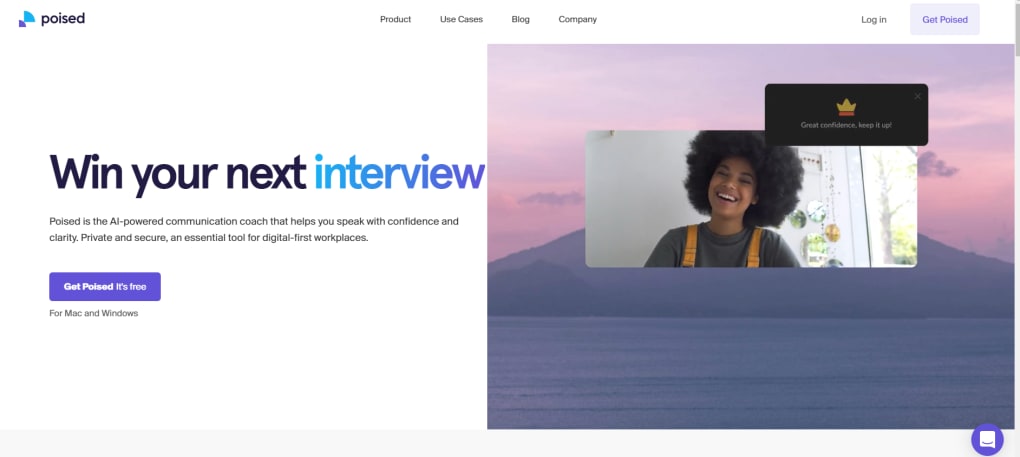
Once the extension is active, Poised runs silently in the background. If you enable “Live Feedback,” a translucent panel appears at the top‑right of your screen, showing instant alerts for filler words, speech speed, and tone variations. You can toggle this panel on or off at any time using a keyboard shortcut (default: Ctrl + Shift + P). For users who prefer a less intrusive experience, you can disable live cues and rely solely on the post‑meeting report, which is automatically generated and emailed within 24 hours.
Poised also offers a “Focus Mode” that temporarily mutes visual alerts while you are delivering a critical segment of your presentation. In this mode, the AI continues to collect data silently and adds any observations to the end‑of‑call report. This flexibility ensures that you can maintain a professional appearance without distracting your audience, while still benefiting from comprehensive analytics afterward.
Supported Operating Systems (itemprop="operatingSystem")
Poised is compatible with the major desktop operating systems:
- Windows 10 and later (64‑bit)
- macOS 11 (Big Sur) and later
- Linux distributions (Ubuntu 20.04+, Debian, Fedora) via Chrome or Chromium‑based browsers
Mobile support is currently limited to the Poised web portal, allowing you to view post‑meeting analytics on iOS and Android devices, but live feedback is only available on desktop browsers at this time. Future updates are slated to bring native mobile extensions, expanding the real‑time coaching experience to smartphones and tablets.
Плюсы, минусы, часто задаваемые вопросы и резюме обзора
Плюсы
- Real‑time, on‑screen feedback helps you correct habits instantly.
- Comprehensive post‑meeting analytics cover both verbal and non‑verbal cues.
- Works with all major video‑conference platforms without needing separate installations.
- Secure, GDPR‑compliant data handling ensures privacy.
- Free trial lets you test core features before subscribing.
- Customizable coaching settings let you focus on the metrics that matter most to your role.
- Progress tracking and goal‑setting features provide a clear roadmap for improvement.
Минусы
- Live feedback can lag on lower‑end hardware or unstable internet connections.
- Some alerts appear after the spoken error, requiring users to backtrack mentally.
- Mobile live coaching is not yet available.
- Advanced analytics (e.g., emotion detection) are only accessible on higher‑tier subscription plans.
- The browser extension may conflict with ad‑blockers or other privacy extensions, requiring additional configuration.
FAQ (itemtype="https://schema.org/FAQPage")
Does Poised record my meetings?
Poised does not store full video recordings. It captures audio and visual cues only for the purpose of analysis, and all data is encrypted and deleted after the report is generated.
Can I use Poised with a corporate Zoom account?
Yes. Poised works with personal, corporate, and educational Zoom accounts as long as the browser extension has permission to access the meeting window.
What is the cost after the free trial?
Poised offers a monthly plan at $19.99 per month or an annual plan at $199 per year, which provides a 2‑month discount. Enterprise pricing is available on request.
Is Poised compatible with Linux?
Yes, Poised works on Linux through Chrome or Chromium‑based browsers. All features are available as long as the browser version is up‑to‑date.
How does Poised handle GDPR and data privacy?
All user data is encrypted in transit and at rest. Poised stores only the analytical metadata needed for reports and deletes raw audio/video snippets after processing, complying with GDPR, CCPA, and other regional regulations.
Can I customize the sensitivity of the AI alerts?
Yes. Within the Poised settings panel you can adjust the detection thresholds for filler words, speech speed, and visual cue placement, allowing a more tailored coaching experience.
Review Summary (itemprop="review")
Poised delivers a compelling blend of real‑time coaching and post‑meeting insights that can dramatically improve virtual communication. While occasional latency and post‑error alerts can be distracting, the depth of analysis—especially the emotion and empathy metrics—sets it apart from generic meeting recorders. For professionals who rely on video calls daily, the ROI is clear: better engagement, fewer filler words, and a measurable path to becoming a more confident presenter.
Rating: 4.5/5
Заключение и призыв к действию
В мире, где удалённое сотрудничество стало нормой, способность говорить ясно, уверенно и с эмпатией может стать решающим конкурентным преимуществом. Poised предоставляет AI‑инструменты, превращающие каждую виртуальную встречу в тренировочную площадку для совершенства. Будь вы лидер продаж, преподаватель, менеджер команды или одиночный предприниматель, мгновенная обратная связь и детальные отчёты после встречи помогают отточить подачу без необходимости нанимать внешнего коуча.
Воспользуйтесь бесплатным пробным периодом уже сегодня, испытайте живые подсказки на экране и посмотрите, как несколько минут аналитики, подкреплённой данными, могут поднять ваш профессиональный имидж. Надёжная архитектура платформы, кросс‑платформенная совместимость и гибкое ценообразование делают её умным выбором для отдельных пользователей и организаций. Не позволяйте скрытым коммуникационным привычкам сдерживать вас — скачайте Poised сейчас, начните пробный период и входите в каждую встречу полностью готовыми произвести впечатление.



.png)



